Stringing appears as thin strands of plastic stretched between separate sections of an FDM print. It happens when molten filament continues to ooze from the nozzle during a travel move. A few hairs can be removed easily, but heavy stringing usually indicates that temperature, retraction, material condition or travel behavior needs attention.

What causes stringing?
During extrusion, pressure builds inside the hotend. When the printer stops extruding and moves across an open area, residual pressure and gravity can allow plastic to leak. Retraction pulls filament back to reduce this ooze, while travel planning tries to minimize visible crossings.
Cause 1: nozzle temperature is too high
Hotter plastic flows more easily. If the temperature is above what the filament needs, oozing can increase. Reduce temperature gradually while ensuring layer bonding and extrusion remain reliable.
Cause 2: retraction is not tuned
Retraction distance and speed influence how effectively pressure is relieved. Too little may leave strings. Excessive retraction can create other problems, including grinding, heat-creep risk or inconsistent restart depending on the system.

Direct drive versus Bowden
Retraction requirements vary with extruder architecture. A short direct-drive filament path may need different values from a long Bowden tube. Start from a proven profile for your printer rather than copying arbitrary settings from another machine.
Cause 3: wet filament
Many thermoplastics absorb moisture. Water in the filament can create inconsistent extrusion, popping and rough surfaces and may worsen stringing. Store filament dry and use an appropriate drying procedure for the specific material when needed.
Cause 4: slow travel
If the nozzle spends longer moving across open space, there is more time for material to ooze. Appropriate travel speed can reduce the duration of non-printing moves, provided the machine can move reliably without excessive vibration.
Cause 5: travel path
Slicer options that keep travel inside already printed regions can reduce visible strings on external surfaces. This may increase travel distance, so evaluate the whole toolpath.

Cause 6: nozzle contamination
Material stuck around the nozzle can drag across the model and create wisps that look like stringing. Inspect the hotend safely and keep the external nozzle area clean according to manufacturer guidance.
Cause 7: incorrect flow or pressure settings
Over-extrusion can leave excess material available to ooze. Modern printers may also use pressure advance or similar compensation. Calibrate flow before chasing retraction endlessly.
A systematic tuning order
- Use a known-good filament profile.
- Confirm filament is dry.
- Calibrate extrusion or flow.
- Print a temperature test.
- Tune retraction in small steps.
- Review travel speed and path.
- Check the nozzle and hotend.
- Validate on the real model.
Temperature tower
A temperature tower prints sections at different temperatures so you can compare stringing, bridging, surface and layer bonding. Do not choose the coolest section based on strings alone if mechanical bonding becomes poor.
Retraction test
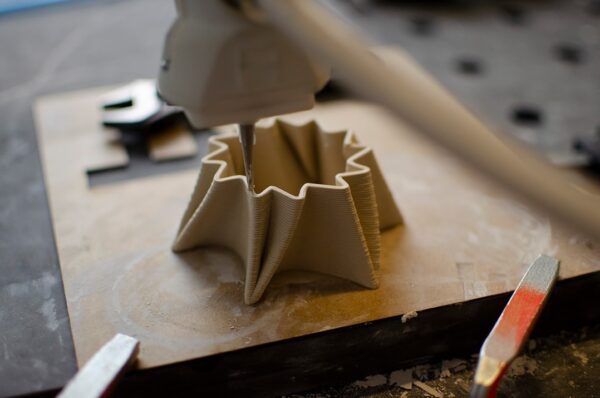
Use a small model with separated towers. Change one parameter at a time. If distance and speed are changed simultaneously, you may not know which adjustment produced the improvement.

Material differences
PETG and TPU can naturally string more than some PLA formulations. A setting that produces a clean PLA model may not transfer directly. Tune by material and even by brand or formulation when necessary.
Stringing versus branching
Very fine hairs are classic stringing. Thicker branches or blobs can indicate a different combination of pressure, temperature, travel and cooling. Examine the defect rather than applying one generic fix.
Should you use maximum retraction?
No. More is not always better. Excessive retraction can increase print time and cause unreliable extrusion. Use the minimum setting that produces acceptable travel behavior.
Post-processing minor strings
A small amount of hair-like stringing can often be removed manually. For client products, however, it is better to tune the process so cleanup is minimal and details are not damaged during finishing.
Common mistakes
- Increasing retraction without drying filament
- Reducing temperature so far that layer bonding suffers
- Copying Bowden settings to a direct-drive machine
- Changing several parameters at once
- Ignoring flow calibration
- Using one profile for every material

Quick checklist
- Dry filament
- Correct material temperature
- Reasonable retraction
- Calibrated flow
- Appropriate travel speed
- Clean nozzle
- Sensible travel path
Conclusion
Stringing is usually the result of molten plastic escaping during travel moves. Solve it methodically: start with dry filament and a validated temperature, then tune retraction, flow and travel behavior. Avoid extreme settings that solve strings by creating a new problem. Artin3D uses material- and machine-appropriate profiles when preparing suitable FDM client projects. Artin3D – Where ideas take shape.