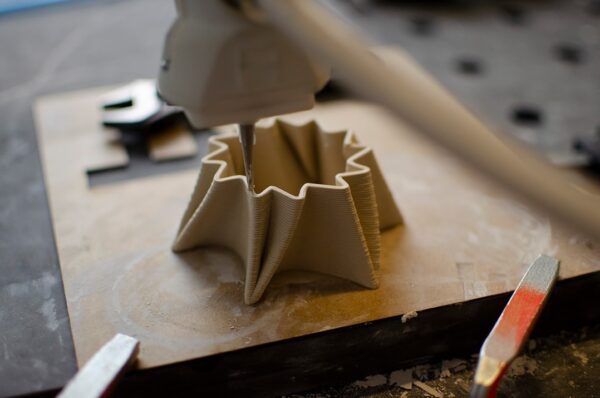
Layer separation, also called delamination, occurs when adjacent layers of an FDM print do not bond strongly enough. The model may crack along horizontal layer lines during printing or later under load. The problem is usually related to thermal bonding, extrusion consistency, material condition or part orientation.

How layers bond
Freshly extruded polymer is deposited onto the previous layer while hot. Heat and pressure allow the materials to fuse. If the new road is too cool, under-extruded or deposited onto a layer that has cooled excessively, the interface can become weak.
Cause 1: nozzle temperature too low
Low temperature can reduce interlayer diffusion. Increase temperature within the material manufacturer’s appropriate range and evaluate both bonding and surface quality.
Cause 2: too much cooling
A strong part-cooling fan can improve PLA overhangs but may reduce bonding for some materials. ABS, ASA and other engineering thermoplastics often require a different cooling strategy from PLA.

Cause 3: drafts and cold environment
Rapid cooling from ambient air can create thermal stress and poor bonding, especially on large higher-temperature prints. Control drafts and consider an appropriate enclosure when the material and printer support it.
Cause 4: under-extrusion
If the printer does not deposit enough material, roads may not press together adequately. Check flow calibration, filament diameter assumptions, extruder grip and hotend restrictions.
Cause 5: partial nozzle clog
A restriction can cause intermittent thin lines and weak layers. If extrusion becomes inconsistent, inspect the nozzle and filament path according to the machine’s maintenance procedure.
Cause 6: wet filament
Moisture can create bubbles and inconsistent extrusion. Hygroscopic materials need appropriate dry storage and drying. Listen for popping and inspect the surface for roughness.

Cause 7: layer height too large
If layer height is excessive relative to nozzle diameter, the deposited road may not be compressed enough against the previous layer. Use a validated range for the nozzle and material.
Cause 8: print speed exceeds melt capacity
A printer can move faster than its hotend can melt filament. At high volumetric flow, actual extrusion may fall behind, creating weak layers. Reduce flow demand or use a capable high-flow setup.
Cause 9: part orientation
Even a well-printed FDM component is directionally dependent. A load that pulls layers apart can fail more easily than one carried along continuous extrusion paths. Rotate or redesign the model to put important loads in a favorable direction.
Cause 10: geometry creates stress concentration
Sharp internal corners, thin transitions and abrupt changes in section can focus stress. Add fillets and gradual transitions where the design allows.
Material differences
PLA, PETG, ABS, ASA, nylon and TPU have different thermal and cooling needs. A cooling strategy that works beautifully for one material can weaken another. Use a profile developed for the exact material family.

Temperature tuning
Print a temperature test and evaluate mechanical bonding, not just appearance. The coolest section with minimal stringing is not necessarily the strongest section.
Cooling tuning
Use enough cooling to control geometry while maintaining adhesion. Bridges and tiny details may need more fan than large structural regions. Some slicers allow feature-specific cooling behavior.
Flow calibration
Before increasing infill to solve a weak print, verify that the printer is actually extruding the expected amount. Thin walls and gaps between lines can indicate a flow issue.
Walls versus infill
Increasing perimeter count can strengthen many components, but it will not fix poor layer fusion. Solve process problems first, then optimize structural settings.
Enclosure considerations
An enclosure can stabilize ambient temperature for materials sensitive to drafts. Follow printer guidance because excessive chamber temperature can affect electronics or materials not designed for it.

Designing stronger layer transitions
- Add fillets at sharp internal corners.
- Avoid very thin necks.
- Increase walls where load enters the part.
- Orient the model according to load direction.
- Split and reassemble a model if that creates stronger print orientations.
Troubleshooting sequence
- Confirm filament is dry.
- Check nozzle and extrusion consistency.
- Use a validated temperature.
- Reduce excessive cooling.
- Control drafts.
- Check layer height.
- Check volumetric flow and speed.
- Review orientation and geometry.
- Print a mechanical test.
Common mistakes
- Increasing infill without fixing poor fusion
- Using PLA cooling settings for every material
- Printing too cold to eliminate stringing
- Ignoring wet filament
- Using very thick layers with a small nozzle
- Orienting a loaded bracket so force pulls directly across layers
How to test improvement
Use the same test geometry and change one parameter at a time. Bend or load the sample consistently and note where it fails. A controlled comparison is more useful than judging strength by hand on unrelated models.
Conclusion
Layer separation is a sign that the deposited roads are not forming the bond the part needs. Start with material condition and extrusion, then tune temperature, cooling and flow before redesigning the component. For functional parts, orientation and geometry are just as important as slicer settings. Artin3D considers these factors when preparing suitable FDM client projects. Artin3D – Where ideas take shape.