Bridging is the ability of an FDM 3D printer to extrude material across an open gap without placing support underneath it. A good bridge can save material, reduce support marks and shorten post-processing time. A poor bridge can sag, curl or separate into loose strands.
What is a bridge in 3D printing?
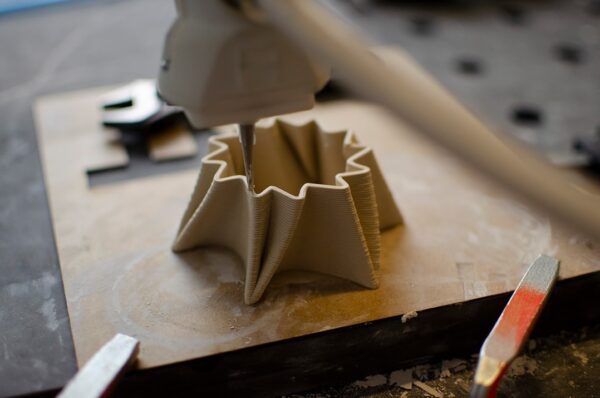
A bridge occurs when the nozzle connects two supported points while printing in mid-air between them. Instead of following a previous layer, the fresh extrusion is stretched across a gap and must cool quickly enough to hold its shape.
What affects bridge quality?
- Bridge length.
- Material type.
- Nozzle temperature.
- Cooling performance.
- Bridge speed.
- Flow rate.
- Part orientation.
Cooling is critical
For materials that tolerate strong part cooling, increased fan speed can help a bridge solidify before gravity pulls it downward. Cooling requirements vary by polymer, so settings that work for PLA may not be ideal for ABS or other temperature-sensitive materials.
Bridge speed
Very slow movement can leave the strand hot for too long, while extremely high speed may create poor anchoring. The best speed keeps the filament stretched consistently between the two sides while allowing stable extrusion.
Nozzle temperature
If the nozzle is hotter than necessary, the bridge stays soft longer and may sag. Reducing temperature slightly can improve bridging, provided layer bonding and extrusion remain reliable.
Bridge flow
Slicers often offer a separate bridge-flow setting. Slightly reduced extrusion can create a tighter, more tensioned strand, but reducing it too far causes gaps or broken lines. Calibration should be done with a bridge test rather than guessing.
Model orientation can eliminate supports
Many models can be rotated so holes and openings bridge across shorter distances. Good design for additive manufacturing reduces unnecessary unsupported spans before slicer settings are even considered.
When supports are still better
Long bridges, critical cosmetic surfaces and complex internal geometry may still require support. A support-free design is useful only when the resulting surface quality and dimensional accuracy meet the project requirements.
Tips for better bridges
- Keep filament dry.
- Use appropriate cooling.
- Tune bridge speed separately from normal walls.
- Use the lowest practical nozzle temperature.
- Test bridge flow in small steps.
- Orient the model to shorten unsupported gaps.
- Use supports when the bridge is too long or critical.
Why bridging matters for product design
Understanding bridging can simplify enclosures, brackets and prototypes. Designers can create openings and internal features that print cleanly without adding large amounts of support material, reducing both waste and finishing work.
Conclusion
Successful bridging is a balance of cooling, temperature, flow, speed and geometry. With a tuned profile and thoughtful model orientation, many gaps can be printed cleanly without supports.
Artin3D – Where ideas take shape.