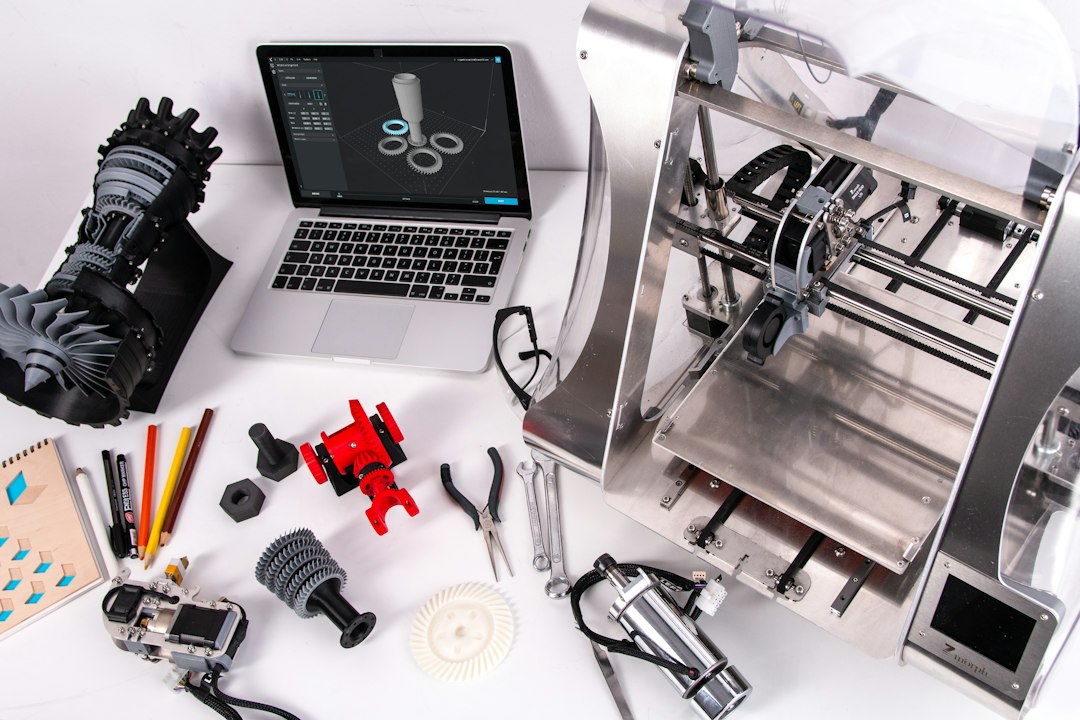
FDM 3D printed product হাতে নিলে surface-এ ছোট ছোট horizontal line দেখা যায়। নতুন অনেকেই এটিকে print defect মনে করেন। বাস্তবে layer line additive manufacturing process-এর স্বাভাবিক ফল। তবে সব ধরনের line স্বাভাবিক নয়—কিছু line machine, extrusion বা material সমস্যার লক্ষণও হতে পারে।

Layer Line কেন তৈরি হয়?
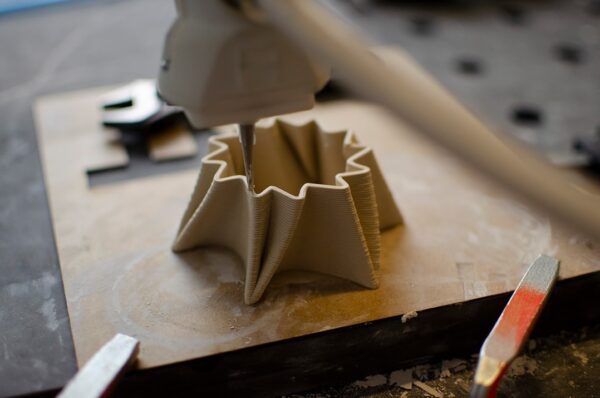
FDM printer nozzle দিয়ে molten filament একটি নির্দিষ্ট height-এর layer হিসেবে deposit করে। প্রথম layer-এর ওপর দ্বিতীয় layer, তারপর তৃতীয়—এভাবে object build হয়। প্রতিটি layer-এর boundary surface-এ microscopic step তৈরি করে। আলো পড়লে এই step line হিসেবে দেখা যায়।
Layer Height-এর ভূমিকা
0.28 mm layer সাধারণত 0.12 mm layer-এর তুলনায় বেশি visible হতে পারে। কম layer height curved surface-কে finer step-এ ভাগ করে। কিন্তু layer height কমালে print time উল্লেখযোগ্যভাবে বাড়তে পারে। তাই সব product-এ ultra-fine layer ব্যবহার অর্থনৈতিক নয়।

Curved Surface-এ Line বেশি কেন?
Vertical wall-এ layer boundary একই plane-এ থাকায় line তুলনামূলক uniform। Sloped বা curved surface-এ প্রতিটি layer সামান্য ভিতরে বা বাইরে যায়, ফলে staircase effect বেশি দেখা যায়। Model orientation পরিবর্তন করলে এই effect-এর location বদলানো যায়।
Layer Line কি Defect?
Uniform এবং evenly spaced layer line FDM-এর স্বাভাবিক characteristic। কিন্তু হঠাৎ মোটা band, shifted layer, missing extrusion, irregular wave বা crack স্বাভাবিক layer line নয়। এগুলো troubleshooting প্রয়োজন হতে পারে।
Normal Line বনাম Problematic Banding
- Normal: একই spacing, consistent texture
- Z-banding: নির্দিষ্ট interval-এ repeated horizontal pattern
- Layer shift: পুরো geometry একদিকে সরে যাওয়া
- Under-extrusion: line-এর মাঝে gap
- Layer separation: visible crack বা split

Layer Line কমানোর উপায়
১. Smaller Layer Height
Visual model-এ finer layer height ব্যবহার করলে layer staircase কম noticeable হয়। তবে printer ও nozzle-এর supported range অনুসরণ করুন।
২. Orientation Optimize করুন
Important visible face এমনভাবে orient করুন যাতে staircase কম হয় এবং support mark hidden থাকে।
৩. Adaptive Layer Height
কিছু slicer curved section-এ fine layer এবং simple vertical section-এ thicker layer ব্যবহার করতে পারে। এতে quality ও time-এর balance পাওয়া যায়।
৪. Mechanical Maintenance
Lead screw, belt, bearing এবং frame issue irregular banding তৈরি করতে পারে। Machine পরিষ্কার ও manufacturer instruction অনুযায়ী maintain করুন।

৫. Stable Extrusion
Correct temperature, dry filament এবং clean nozzle consistent extrusion দেয়। Wet filament বা partial clog surface rough করতে পারে।
৬. Outer Wall Speed
Outer perimeter-এর speed এবং acceleration tuned থাকলে ringing ও inconsistent surface কমতে পারে। Modern printer-এর recommended profile ভালো starting point।
Post-Processing দিয়ে Layer Line কমানো
Display prop বা presentation model-এর ক্ষেত্রে sanding, filler primer এবং painting ব্যবহার করা যায়। Material অনুযায়ী sanding technique ভিন্ন। Functional dimension-critical surface অতিরিক্ত sand করলে fit পরিবর্তন হতে পারে।

Resin Print-এ কি Layer Line থাকে?
Resin printing-ও layer-by-layer process, তাই technically layer থাকে। Layer thickness খুব fine এবং XY process ভিন্ন হওয়ায় অনেক ছোট model-এ line কম noticeable হয়। Orientation এবং anti-aliasing visual appearance-এ প্রভাব ফেলতে পারে।
কোন Product-এ Layer Line গুরুত্বপূর্ণ?
- Miniature ও display figure
- Paint-ready cosplay prop
- Presentation model
- Consumer-facing decorative product
অন্যদিকে internal jig, enclosure prototype বা engineering test part-এ functionality visual layer line-এর চেয়ে বেশি গুরুত্বপূর্ণ হতে পারে।
শেষ কথা
FDM 3D print-এর uniform layer line স্বাভাবিক এবং technology-এর অংশ। লক্ষ্য হওয়া উচিত সব line মুছে ফেলা নয়; project অনুযায়ী quality, time এবং cost-এর সঠিক balance নির্বাচন করা। Artin3D visual ও functional requirement অনুযায়ী layer height, orientation এবং finishing workflow নির্বাচন করে।
Artin3D — আপনার আইডিয়া, আমাদের নিখুঁত বাস্তবতা।