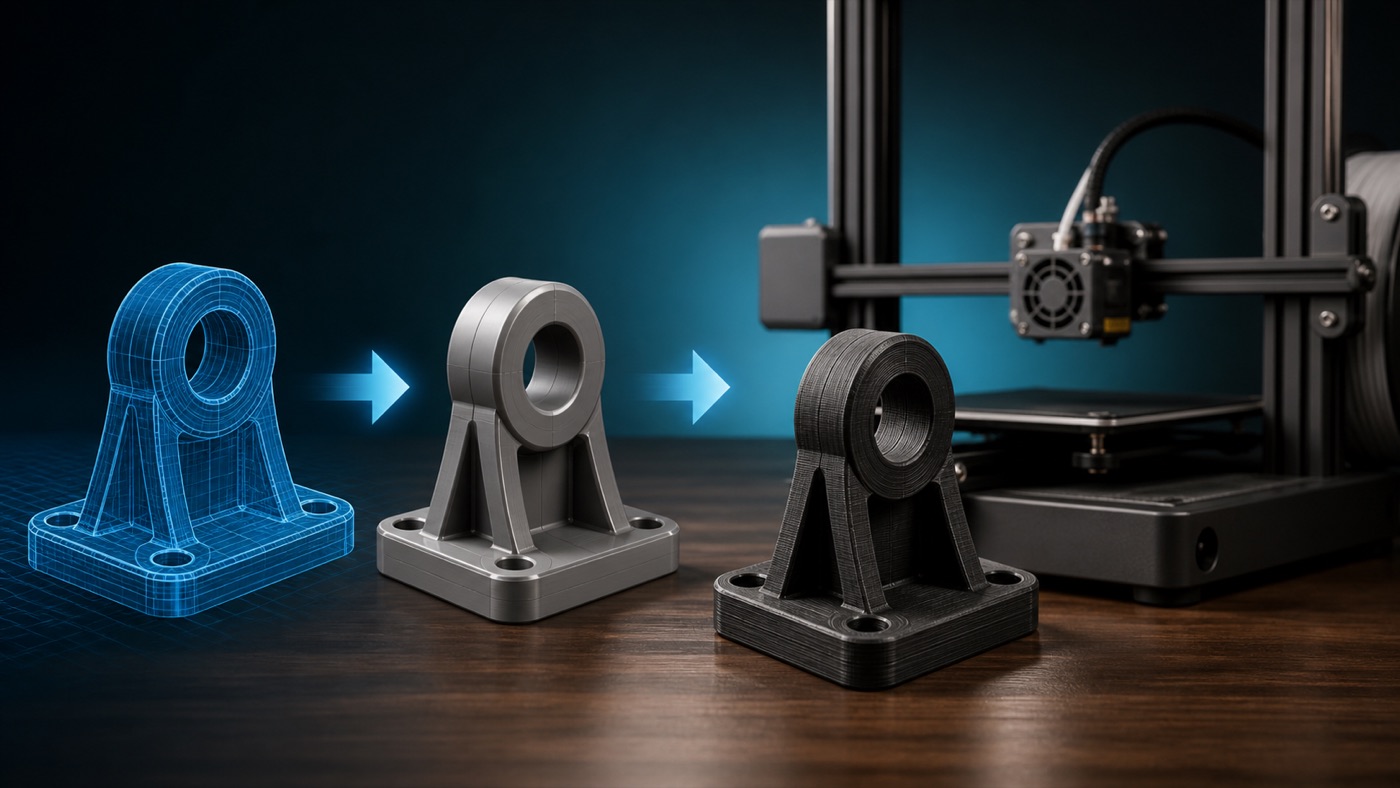
একটি 3D model screen-এ perfect দেখালেও সেটি সরাসরি 3D print করার উপযোগী নাও হতে পারে। Digital design-এর এমন অনেক geometry আছে যা render করা যায় কিন্তু physical manufacturing-এ সমস্যা তৈরি করে। Print শুরু করার আগে model review করলে failed print, wrong size এবং assembly problem অনেক কমানো যায়।

১. Scale ঠিক আছে?
STL file অনেক সময় unit information স্পষ্টভাবে বহন করে না। 50 mm object ভুল import-এ 50 inch equivalent scale হয়ে যেতে পারে। Slicer-এ X, Y, Z dimension reference requirement-এর সাথে মিলিয়ে দেখুন।
২. Model Watertight বা Manifold?
Closed solid object-এর surface-এ unintended hole, open edge বা non-manifold geometry থাকলে slicer ভুল interpret করতে পারে। Repair tool দিয়ে mesh integrity check করা ভালো।
৩. Wall Thickness যথেষ্ট?
Screen-এ একটি surface thickness ছাড়া দেখা যেতে পারে, কিন্তু FDM printer physical extrusion চায়। Nozzle width-এর তুলনায় খুব thin wall missing হতে পারে। Resin-এও thin feature fragile হতে পারে। Application অনুযায়ী realistic thickness design করুন।

৪. Tiny Feature Print করা সম্ভব?
Logo, embossed text, pin, hole বা groove process capability-এর নিচে হলে slicer-এ হারিয়ে যেতে পারে। Sliced preview-এ feature আসলেই toolpath পেয়েছে কি না দেখুন।
৫. Overhang আছে?
Steep overhang বা floating geometry support চাইতে পারে। Support technically সম্ভব হলেও important cosmetic face-এ mark তৈরি করতে পারে। Design বা orientation দিয়ে support requirement কমানো যায় কি না দেখুন।
৬. Bridge বাস্তবসম্মত?
Short bridge FDM printer support ছাড়া করতে পারে, কিন্তু দীর্ঘ unsupported span sag করতে পারে। Model-এর bridge length এবং cooling/material capability বিবেচনা করুন।

৭. Tolerance আছে?
CAD-এ দুটি part exact same dimension দিলে বাস্তবে fit নাও করতে পারে। Hole ও shaft, lid ও box, sliding rail এবং snap fit-এর জন্য process-appropriate clearance দরকার। Required tolerance material, printer ও fit type অনুযায়ী test করা উচিত।
৮. Screw Hole এবং Insert Design
Screw সরাসরি plastic-এ যাবে, nut capture থাকবে নাকি heat-set insert—আগে ঠিক করুন। Hole print orientation অনুযায়ী slightly different dimension পেতে পারে। Prototype fit test useful।
৯. Sharp Internal Corner
Mechanical stress-এর জায়গায় sharp internal corner stress concentration বাড়াতে পারে। Functional design-এ প্রয়োজন অনুযায়ী fillet ব্যবহার করা হয়।
১০. Part Orientation ভেবে Design করা হয়েছে?
FDM layer direction strength-এ প্রভাব ফেলে। High load feature যদি weak layer direction-এ থাকে, geometry redesign বা orientation change দরকার হতে পারে।

১১. Large Model Build Volume-এর মধ্যে?
Model printer-এর build volume ছাড়িয়ে গেলে split করতে হবে। Split location-এ alignment pin, dovetail, screw বা glue joint design করলে assembly সহজ হয়।
১২. Hollow Model-এর সমস্যা
FDM shell-এর ভিতরে inaccessible support আটকে যেতে পারে। Resin hollow model-এ drain ও vent hole প্রয়োজন। Trapped uncured resin long-term failure তৈরি করতে পারে।
১৩. Mesh Resolution
Low-resolution STL curved surface faceted করে। Export-এর সময় adequate mesh quality নির্বাচন করুন। তবে unnecessarily huge file workflow slow করতে পারে।

১৪. Sliced Preview Check
এটি সবচেয়ে গুরুত্বপূর্ণ final check-এর একটি। Layer-by-layer preview-এ perimeter, gap, support, bridge, seam এবং top/bottom region দেখুন। CAD screen-এ দেখা feature slicer বাদ দিয়েছে কি না এখানে বোঝা যায়।
১৫. Prototype প্রয়োজন কি?
Assembly-critical product সরাসরি bulk print না করে one-piece test করা ভালো। PCB enclosure, bearing housing, snap fit বা replacement part-এ physical fit test CAD assumption verify করে।
Print-Ready Checklist
- Correct scale
- Closed/manifold geometry
- Adequate wall thickness
- Printable small features
- Support strategy
- Correct tolerance
- Load-aware orientation
- Build volume fit
- Mesh quality
- Slicer preview verified
শেষ কথা
Print-ready model হলো এমন geometry যা শুধু digitalভাবে সুন্দর নয়, নির্বাচিত printer, material এবং application-এর জন্য manufacturing-ready। Artin3D client-এর sketch, component বা existing product থেকে model তৈরি ও printability review করে assembly-ready output দিতে কাজ করে।
Artin3D — আপনার আইডিয়া, আমাদের নিখুঁত বাস্তবতা।