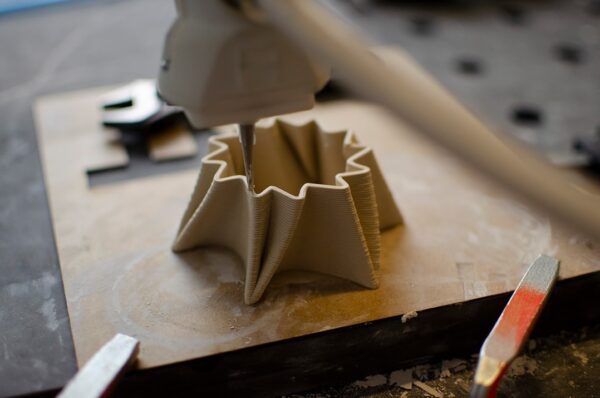
FDM prints can look excellent from the side yet show visible extrusion lines on flat top surfaces. Ironing is a slicer feature designed to improve those surfaces by moving the hot nozzle across the completed top layer while extruding only a very small amount of material.
How ironing works
After a top surface is printed, the nozzle performs additional passes over it. Heat and controlled extrusion help fill small gaps and flatten high spots, creating a more uniform appearance.
Where ironing works best
- Flat top faces
- Nameplates
- Boxes and lids
- Display products
- Decorative components
- Parts where the top face is highly visible
Where it does not help much
Ironing cannot smooth vertical walls or curved surfaces. It also cannot correct major under-extrusion, poor top-layer support or incorrect calibration. The underlying print must already be reasonably good.
Important settings
Slicers may provide ironing flow, line spacing, speed and pattern controls. Excessive flow can create ridges or blobs, while insufficient flow may leave gaps unchanged. Calibration should be performed for the printer and material.
Top layers still matter
If infill shows through the roof of a model, ironing is not the real solution. Increase or optimize top solid layers so the surface is properly supported before applying a finishing pass.
Does ironing increase print time?
Yes. The nozzle must travel across each selected top surface again. The impact can be minor on a small part but significant on a large flat model.
Material behavior
Different filaments respond differently to heat and repeated nozzle contact. PLA can often produce attractive ironed surfaces when calibrated, while other materials may need different flow and speed settings.
Common ironing problems
- Rough streaks
- Excess material
- Gaps between passes
- Nozzle dragging
- Longer production time
- Uneven results on complex top geometry
When not to use ironing
Skip it for hidden functional components where appearance provides no value. Production efficiency matters, and an extra cosmetic operation should have a purpose.
Alternative ways to improve the top
- Calibrate flow.
- Use enough top layers.
- Choose suitable layer height.
- Improve cooling when appropriate.
- Use a well-tuned top-surface speed.
- Consider post-processing for premium cosmetic requirements.
Conclusion
Ironing is a useful finishing feature for flat visible top surfaces, but it works best as the final refinement of an already well-calibrated print. Artin3D – Where ideas take shape.