
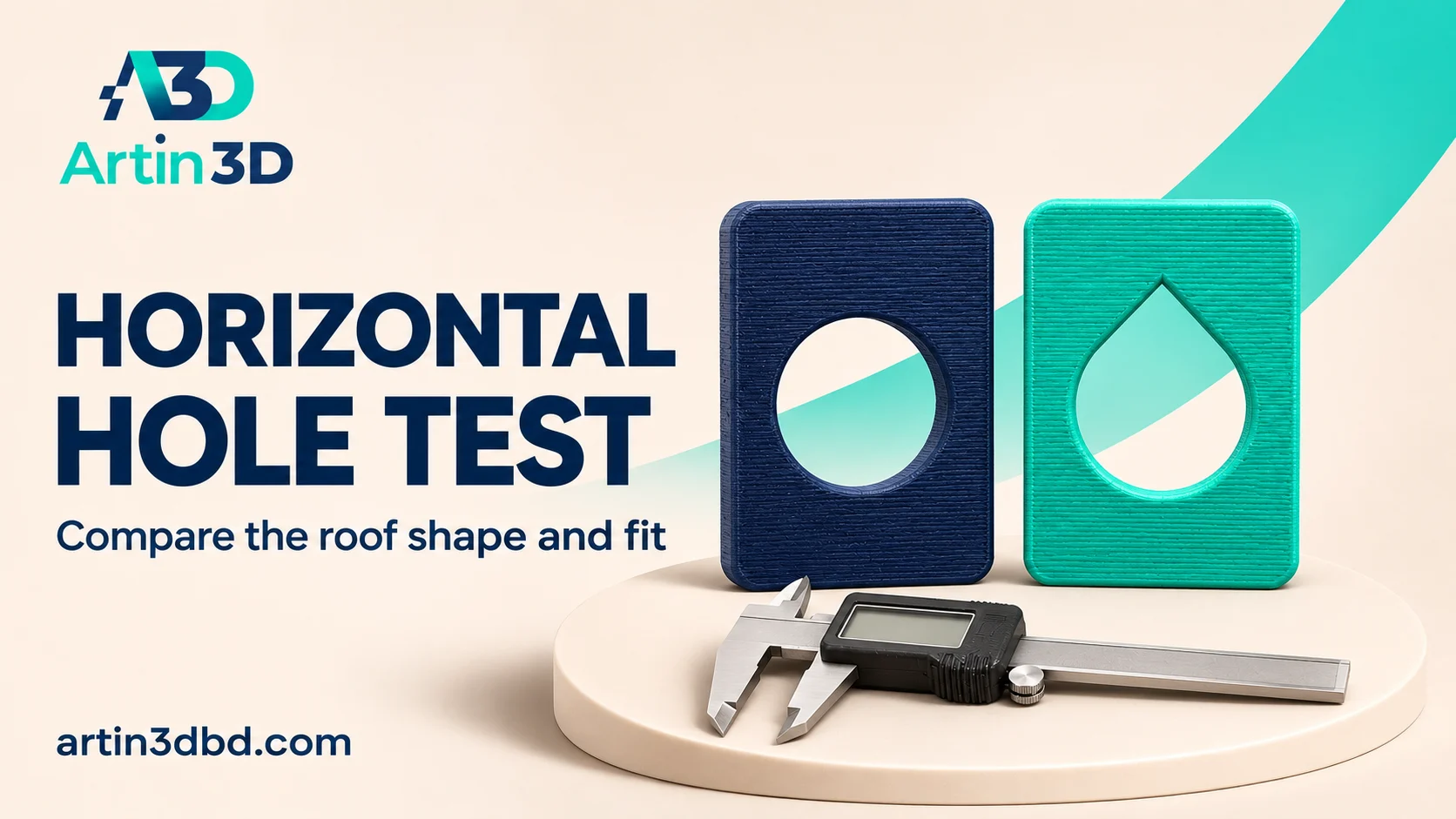
Horizontal opening এর উপরে sagging হলে round ও teardrop shape তুলনা করতে পারেন। তবে নতুন shape actual component এর fit বদলাচ্ছে কি না sample এ দেখুন।
A horizontal circular opening asks the printer to form an increasingly unsupported upper region. A teardrop shaped alternative changes that roof geometry, and may be useful when the assembly allows it. This small comparison checks both the printed roof and the real component fit. It does not assume that a different opening shape is acceptable for every hole in a functional design.
Define what the opening must accommodate
Identify the component or cable that passes through the opening and the surfaces that locate it. Record the required free space and whether a truly circular boundary is essential. A teardrop can change clearance above the component while preserving a useful lower region, but that still needs design approval. Keep the actual mating item available for the physical trial instead of judging only the opening’s visual appearance.
To separate shape changes from print direction, compare Compare Bridge Direction With a Simple Rectangular Gap Test.
Build comparable round and teardrop samples
Use the same wall thickness and planned horizontal axis orientation in both coupons. Preserve the required component space and record the proposed roof change explicitly. UltiMaker describes teardrop openings as a design option for reducing unsupported geometry in horizontal holes. Treat that principle as a candidate for your particular shape. Save the original round version and the modified CAD revision separately.
Inspect the upper paths and support plan
Slice both coupons using the same supported material and nozzle profile. Move through the opening toward its roof and inspect the path placement. Record any generated support and how it would be removed. Save corresponding layer views and the time estimates. The new geometry should be checked directly, since a teardrop label alone does not establish which portions are actually unsupported on your model.
Print and compare before cleanup
Print the short samples with the same spool and plate preparation. After cooling, photograph the opening from the same angle and inspect its upper surface. Record loose strands, drooping paths and edge appearance before trimming. Use an appropriate method for accessible measurements. A clean looking roof is one observation, while the available space and actual component fit remain separate acceptance criteria.
Try the intended component route
Insert the real component gently through each sample using the planned assembly direction. Record whether it clears the roof, seats against the required surface and retains any needed movement. Check that the changed opening does not interfere with a nearby feature or expose an unwanted gap. If the design requires a circular bearing or precise locating surface, evaluate another manufacturing or orientation strategy as appropriate.
Keep the approved geometry and its purpose
Save the accepted cross section, physical size and print orientation with the project. Include a photograph of the component in place and note which part of the boundary matters for location. Recheck the opening after resizing or changing the component. This preserves the useful design decision instead of transferring a generic teardrop shape to unrelated assemblies.
If the upper edge still needs support, review Compare Overhang Slowdown on a Small Curved Lip Sample.
Relevant products from Artin3D
SUNLU PLA Filament 1.75mm
SUNLU PLA can be used for a consistent PLA opening trial on a compatible printer. Use the material required for the final fit validation.
Digital Vernier Caliper
The Digital Vernier Caliper supports accessible opening and component measurements. Curved or small internal surfaces may need another checking method.
Quick questions
Can I replace every round hole with a teardrop?
Only when the intended geometry and assembly requirements allow the change. Verify the actual component fit.
Does the shape guarantee no supports are needed?
Inspect the sliced roof and the complete geometry, then evaluate the representative print.
Confirm the exact product variant, printer compatibility, current price and availability on the linked product page before ordering.
Need help preparing a representative sample? Explore Artin3D’s 3D design service or upload your STL file for a 3D printing quote. Include the mating part dimensions, intended material and assembly requirements.


